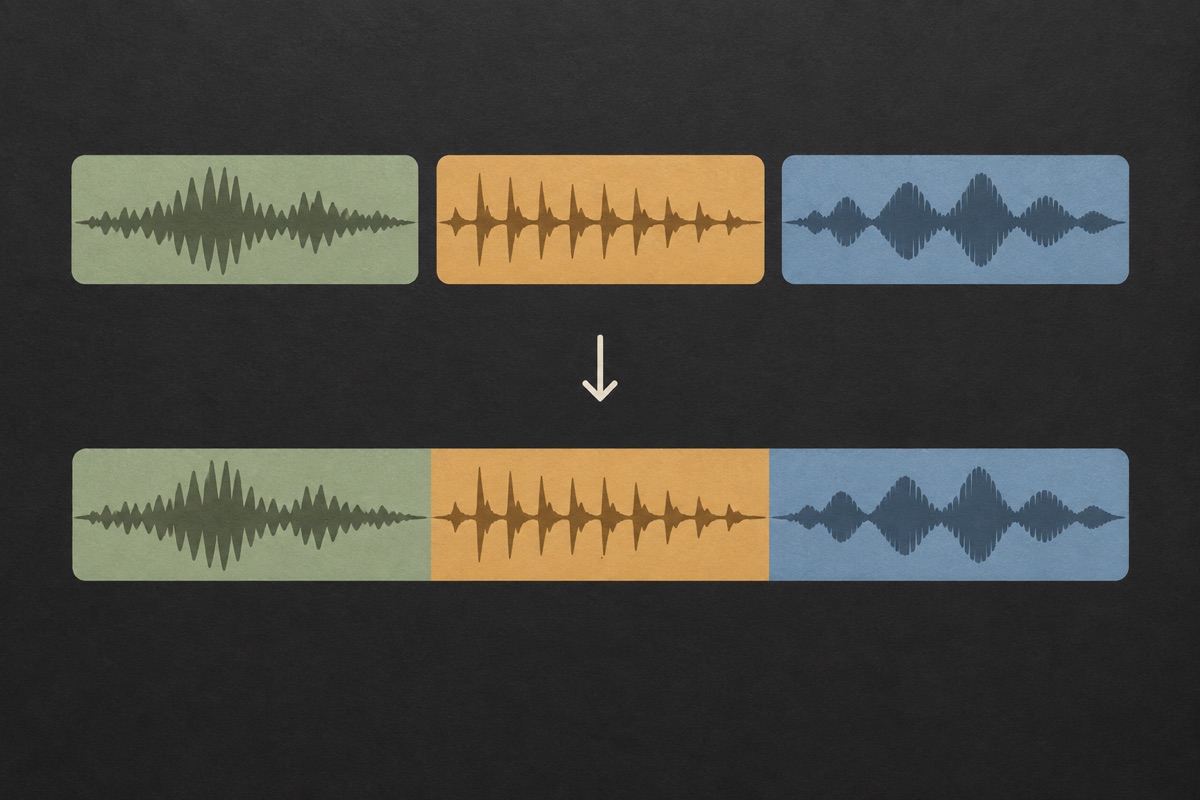
One station voice, several treatments
Retain the source voice and produce different supporting mixes for daytime, specialist or late-night slots. The original recording stays available when a music bed needs to change.
Give your station a clear voice between programmes. Prepare a station ID, sweeper or short show cue, then balance the spoken line against its background.
Describe your idea in the agent, or upload your own voice recording to start a mix.
Sign in to save a private project. Audio editing tools work without an account.
Upload audio you have the right to use. Generated voices are AI-synthesized.

Provide the station name, approved wording and pronunciation. Say whether the cue is a station ID, a transition between tracks or a spoken introduction to a programme. Include a frequency only when it belongs in the actual announcement.

Check that the name is prominent and the line fits its intended purpose. The agent keeps the voice and mix instructions with the project, and shows the production cost before asking you to confirm the recording.
Play the mixed result and download the dry voice. Adjust the bed or ending for a particular programme without generating the voice again. Use the measured file duration when planning the cue in your broadcasting system.
Retain the source voice and produce different supporting mixes for daytime, specialist or late-night slots. The original recording stays available when a music bed needs to change.
This radio workspace handles spoken IDs and packaging. A brand line that must be sung belongs to Commercial Jingles, where the production route and expectations are different.
The conversation records the approved wording and previous results. Return to the project from My creations to refine a cue instead of starting every programme update from scratch.
Review the operation cost in the quote. A new station announcement and a remix of an existing take are separate operations, each requiring review before confirmation.

A station ID tells the listener where they are. A sweeper bridges parts of a broadcast, while a liner can introduce a programme or reinforce the station’s character. These are related audio tasks and share a workspace, but their scripts should not be interchangeable. “You’re listening to Harbor Radio” is a sample of wording you might supply, not a claim that a station uses this product.
Start with the information that must be heard: station name, programme title or presenter name. Read the line aloud before requesting production. A short identifier often works without a second slogan. If the cue includes a location, frequency or scheduled time, check that it is correct for the version you plan to use. UEG cannot verify your broadcasting details on your behalf.
Write a separate brief for each role in the programme. An identifier should make the station name unmistakable; a show opener may introduce the presenter and topic; a transition cue can stay shorter because the audience already has context. Read numbers, initials and local names aloud before submitting them. Use the spelling that produces the intended spoken result, while retaining the official written form in your project notes. A collection of short cues becomes easier to manage when the purpose of each file is clear without playing it.

The speech needs to remain intelligible over the chosen bed and the audio adjacent to it. Begin with a restrained background level, then compare the cue at a similar listening volume to the surrounding programme. Peak protection prevents the mixer from simply pushing samples beyond its output ceiling, but it is not a substitute for your station’s final loudness and transmission processing.
Choose a percussive pulse for an energetic transition, a warm sustained bed for a softer programme or a sparse airy texture for a minimal cue. No bed keeps the output suitable for placing over existing music. Intro and outro settings add time around the voice; a fade can make the final tail less abrupt. The result duration is measured after these operations.
Compare the cue with the material directly before and after it, rather than choosing a level from the isolated preview. A spoken identifier may need a different treatment between two songs than at the beginning of a quiet talk segment. Keep a dry alternative and avoid adding more background when the programme already supplies one. If the destination system has specific loudness, sample-rate or file-format requirements, check the exported audio against those requirements separately. The jingle workspace is for creating and revising the cue, not a substitute for a station’s delivery and compliance checks.
When the spoken take has been approved, use its dry recording as the source for another mix. A new bed or a quieter background should not change the station name’s pronunciation. The project stores both versions and their relationship, allowing you to compare the old and new treatments before replacing a cue in your broadcast library.
A different programme title, announcer delivery or spoken schedule needs a new voice take. Review a new speech quote for that change. Uploading your own announcer recording is also supported, provided you have permission to use it. Effects already present in that recording remain part of the source: the mixer can add or remove its own processing, but cannot promise to undo a reverberant room or previously embedded music.
Produce a short identifier for a small streaming station. Keep the name easy to hear and verify its exact spelling and pronunciation. Download the final WAV and test it in your playout system before scheduling it.
Use one approved voice recording with a different bed for a jazz show, an electronic mix or a late-night segment. Each treatment can be saved without turning the station identity into a new spoken performance.
Create an audio identifier that links several shows without repeating their complete introductions. Keep the cue short enough to leave room for each programme’s own host and content.
No. This page makes audible station identification and programme packaging. It does not look up DMR, NXDN, satellite radio account numbers, call-sign registrations or device serial numbers. If you need a spoken station name or sweeper, describe the wording and delivery in the agent.
Tell the agent that you want a sung result and it can distinguish that from spoken speech. The dedicated Commercial Jingles page explains the musical route. A TTS voice speaking over a bed is still a spoken cue; it must not be presented as a melody with the brand name sung.
The mixer exports a real PCM WAV and reports its actual duration. This does not certify compliance with a broadcaster’s loudness, peak, sample-rate or delivery requirements. Check your station’s specification and run any required final mastering and quality control before transmission.
The first version works with individual projects and saved revisions. It does not promise bulk station packages, automatic schedules or a team approval system. Work on one ID or programme cue at a time, approve the voice, then reuse it where only the mix needs to change.
You can change the included bed, the relative levels, added echo, intro space, outro and fade. The dry voice recording is reused. New words, different reading speed or corrected pronunciation are voice changes and require a new production quote.
Download the dry and mixed files, keep the approved script and note the intended programme or use. My creations retains private versions in the project, but your station should also keep the exported files it depends on. Avoid relying on a browser tab as the only place to find a cue.
Start with the station identity the audience needs to recognize. Depending on the use, that may include a station name, a slogan or a programme cue. Keep optional promotional details out of a short identifier unless they help the listener understand the message. If you are preparing a legally required identification, confirm the wording and timing requirements with the relevant station guidance; this tool does not validate regulatory compliance. Provide pronunciation notes for call letters, frequencies and local names, then audition the actual voice before adding more music or effects around it.
A sweeper is usually a compact piece of station imaging used between programme elements. A show opener has more introductory work to do, such as naming the programme or setting up the presenter. Write the brief around that job instead of using the same long line for both. You can create separate cues and keep a consistent spoken identity, but UEG does not build an automated playout schedule. Check each finished file with the transition where it will be used, including the time occupied by the effect tail and any silence at the edges.
Separate the lasting station identity from details that change, such as dates, events or a temporary promotion. If those details are spoken, changing them requires a new recording or voice take. If you only want a different background or ending, a remix can reuse the saved dry voice. Keep both the evergreen cue and the seasonal version so the wrong announcement is not reused later. The project history helps compare versions, but you should still name and organize the exported files for your own broadcast library.
Include the intended language in the brief and provide the written line you want spoken. Generated speech depends on the options available in the connected service; this page does not promise a fixed number of languages or accents. An uploaded recording gives you control over the actual pronunciation when you have a suitable speaker. Check names and mixed-language phrases particularly carefully. A translated interface is not proof that every voice supports that language, and a clear written sentence may still need a pronunciation note before the audio sounds right.
Start with a short brief or a recording you own. Review the production quote, then listen and refine.