Your host recording can lead
Upload a voice you own instead of using a synthetic speaker. The original recording is saved privately and becomes the source for subsequent mixes.
Introduce your show without delaying the conversation. Bring the host’s voice or a short brief, then shape a clear opening and a matching closing cue.
Describe your idea in the agent, or upload your own voice recording to start a mix.
Sign in to save a private project. Audio editing tools work without an account.
Upload audio you have the right to use. Generated voices are AI-synthesized.

Give the agent the show name, host name and the promise listeners should hear. Mention the language and whether the opening is calm, curious or lively. Supply an approved script if you already have one.
Read the draft for accuracy and remove anything that delays the episode unnecessarily. Review the voice, intended length and cost before production. An uploaded host recording can go directly to a mix quote.
Listen to the voice and bed together, check the actual duration and download the WAV. Ask for a matching outro as a new spoken take, or keep the existing voice when only the background and ending need adjustment.
Upload a voice you own instead of using a synthetic speaker. The original recording is saved privately and becomes the source for subsequent mixes.
The mix card separates background level from the voice. Choose a quiet bed or no bed, then compare the result with the opening words of your episode.
Keep the show name, pronunciation, audience and tone together in the conversation. Different spoken words require a new take, while a background change reuses the recording.
Download the finished PCM WAV and place it in the editor you already use. The workspace reports the actual length rather than promising a fixed duration from a text description.

A useful podcast introduction tells listeners what the show is and why this episode is worth their attention. The permanent opening does not need to repeat every detail that belongs in the episode description. For a weekly interview show, a short title and premise may be enough. Names, credentials and a long sponsor message can quickly turn an introduction into the first segment of the episode.
Give the agent a concrete brief, such as “Small Hours is a weekly conversation about creative work; introduce the title warmly and leave room for the host.” This is a writing example, not a published customer case. Review any suggested wording yourself. The agent should not invent a host’s qualifications, guest names, release schedule or audience size to make the script sound established.
Try the introduction in front of an actual episode, including the first words the host says after it. A polished standalone clip can still feel slow if it repeats a greeting or explains what the episode immediately explains again. Keep the show identity stable and put changing episode details in the main recording when that makes the workflow simpler. For a returning listener, familiarity can come from the voice and musical shape rather than a long repeated description. Decide what the opening must establish, then remove lines that do not contribute to that job.

A music bed should support the introduction without forcing the listener to work to understand it. Start with a low background setting and listen on the device your audience is likely to use. Small speakers often make masking more noticeable. The original synthetic beds provide a pulse, soft chords or a sparse texture; they are deliberately simple supporting material rather than an automatically composed theme song.
If you already record your own host introduction, upload that file. UEG can combine it with a bed and render a downloadable version. It does not remove room noise, fix clipped input or clone the host’s voice. When those problems are audible in the original recording, improve that recording first. A mix cannot recover words that were never captured clearly.
Make the closing cue useful even when a listener has not followed every detail of the episode. One clear next step is easier to remember than several competing requests. If you need to change a spoken website, sponsor or promotion, update the recording rather than covering the old words with music. Keep the introduction and outro as separately named files, and listen at their actual positions in the episode. Matching style does not require identical length or wording; each cue should support the moment where the audience hears it.

The introduction establishes the show. The outro can close the episode and offer one useful next step, such as following the programme or reading its notes. Avoid carrying the entire introduction script into the closing segment. Tell the agent which action matters and provide the exact destination or wording that should be spoken. A new outro script requires new speech, even if it shares the voice and music style.
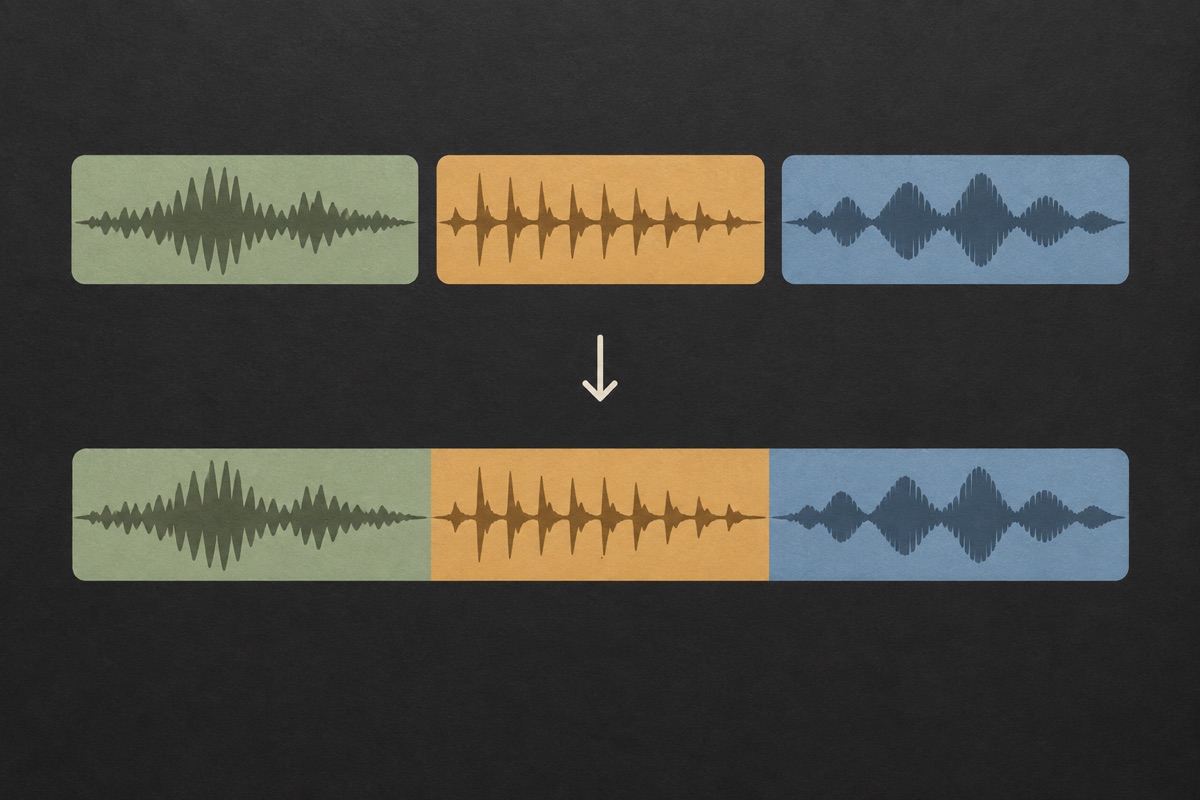
When only the balance changes, use Keep voice & remix to retain the take. Each completed render has a source relationship and a version number in the project. Download the version you intend to publish and listen to its transition into or out of your episode. The built-in joiner can concatenate existing clips, but it does not perform automatic speech-aware editing or a multi-track podcast mix.

Build a reusable show identifier and leave the episode-specific guest introduction to the host. A stable opening can use the same dry recording while a new series receives a softer or shorter musical treatment.
Use your own narration to keep the introduction consistent with the rest of the episode. Upload a clean take and compare different background levels without re-recording the name of the show.
Write a concise outro around one action. Listen for an abrupt ending after a web address or show name, then add a short tail or fade. Verify the destination yourself before the line is produced.
No. The workspace focuses on a short spoken introduction or closing cue and its supporting mix. It does not research an episode, edit an interview, remove filler words, distribute a feed or replace your podcast hosting service. Bring the finished cue into your existing episode workflow.
The included beds are original procedural sounds made for this project. If you want a newly generated sung musical identity, use the musical jingle workflow and review that service’s terms. Do not assume that a simple bed is a bespoke composition with exclusive rights.
If the host’s voice is central to the show, an uploaded recording may fit naturally. Synthetic speech can be useful for an announcer-style cue when speech generation is available. In either case, audition the result against the episode rather than choosing solely from a voice description.
Yes. The saved dry voice is reused for a mix-only revision. Choose a different included bed, lower its volume or remove it. This cannot separate music already baked into an uploaded recording; provide a clean dry take when you want independent control.
There is no universal duration that suits every show. Keep enough space to state the title and premise clearly, then listen to the complete episode opening. The tool accepts a target but displays the measured output length. Shortening a script is often clearer than rushing its delivery.
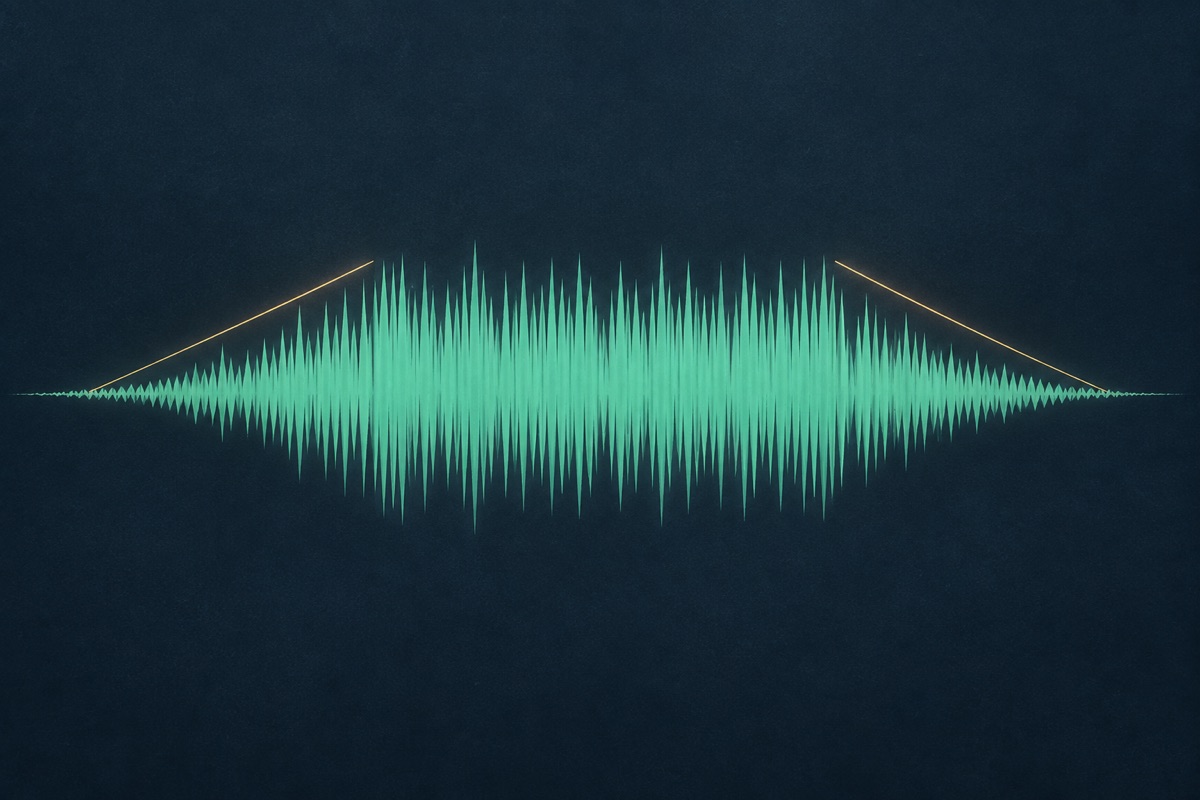
No. The fade shapes this file’s start or end. Place it on your episode timeline to choose the actual overlap with the host or first segment. The exported WAV is a portable source, and the final editorial transition remains under your control.
This page helps prepare a specific opening or closing for your show. It is not a searchable library of finished tracks that you can browse and download as background music. The mix workflow offers a limited set of supporting beds, and a request for an original sung or musical piece is a separate production task. Describe whether you need a host introduction, an announcer cue or music itself. That distinction matters because a clear voice over a simple bed may solve the opening better than generating a full theme song.
You can include that wording in a new brief or upload a recording that says it. However, guest names and episode titles change frequently, so consider whether they belong in the reusable opening or the main episode recording. Keep an evergreen show introduction when possible, then introduce the guest in context. If you choose an episode-specific intro, verify every name and keep the export clearly labeled. UEG can keep versions in the project, but it does not pull guest details from a podcast feed or update published episodes automatically.
You can reuse an audio file where your publishing workflow and source permissions allow it. This tool prepares the sound; it does not create a video title sequence, subtitles or a finished video export. Import the WAV into your video editor and check the timing against the visual opening. Avoid extending the spoken line simply to fill a longer animation. For the audio-only version, listen without looking at a screen to make sure any important information is actually spoken rather than relying on a title card that listeners cannot see.
Listen to the complete opening and closing at a comfortable level, not just the exported intro in isolation. Check whether the first host sentence is clear, whether the background competes with speech, and whether the ending leads into the intended next action. Keep your original recording and the chosen WAV so you can revise later. If your podcast host or distributor asks for a particular loudness or format, verify that separately in your final editing workflow. UEG does not automatically master or publish the entire episode for you.
Start with a short brief or a recording you own. Review the production quote, then listen and refine.